Three ways to talk
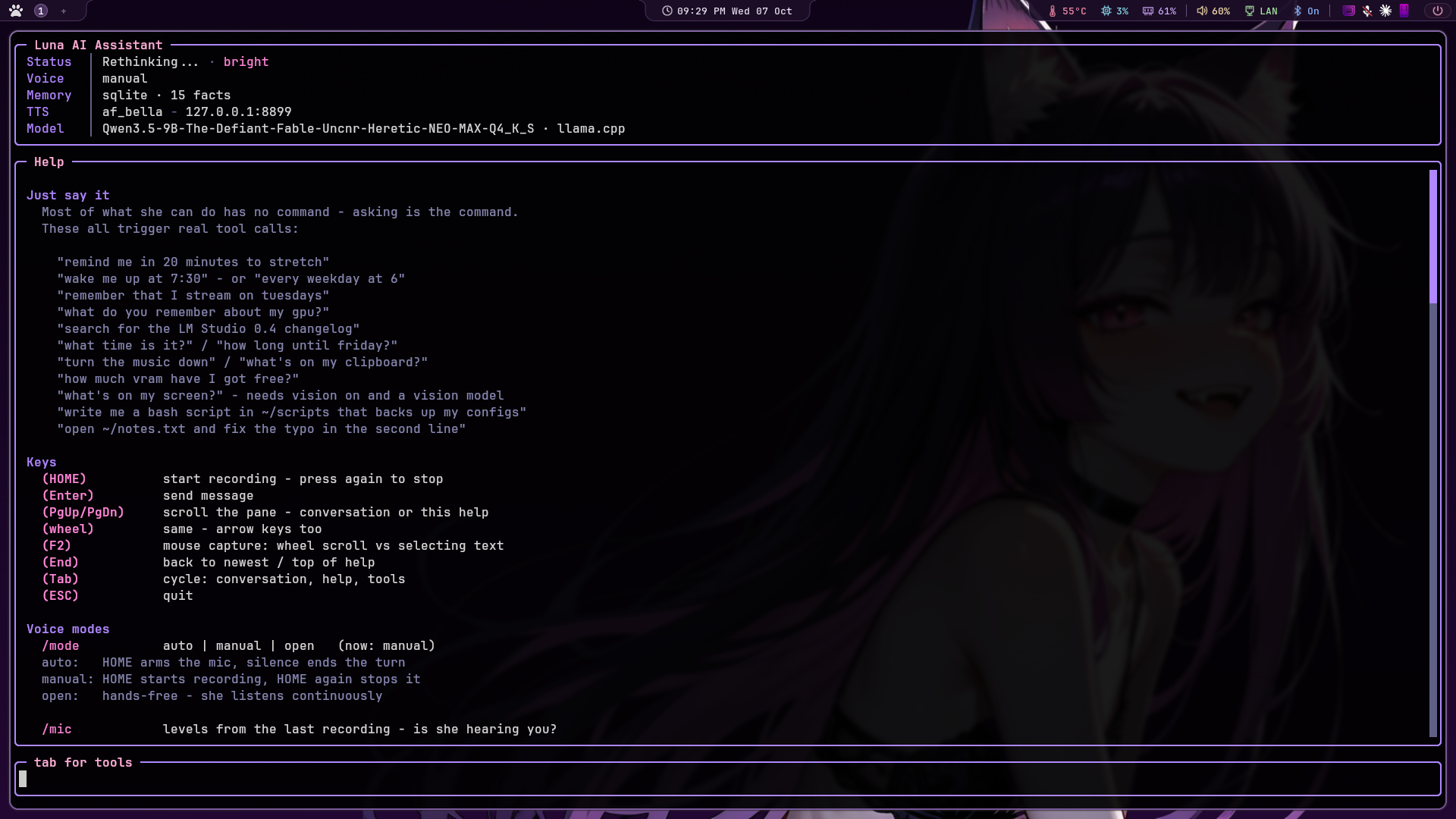
One key, Home, and three modes for it. Switch live with /mode; the choice is saved.
| Mode | Home does | Recording ends when |
|---|---|---|
auto | starts listening | you stop talking. The quick question. |
manual | starts recording immediately | you press Home again. Think, trail off, come back; silence is ignored. |
open | arms the mic and leaves it armed | you stop talking, she answers, the mic re-arms. Hands free. |
Pressing Home while she's thinking or talking cancels the turn, and quiets anything she's saying so the mic hears you and not her. Typing works too: it's a terminal, and Enter sends.
She knows when you're talking
Speech is detected with Silero VAD, a small speech-or-not model, rather than by measuring loudness.
A level meter can't tell your voice from a fan, so it has to sit high enough to ignore the room,
which makes it late to trigger and quick to cut off a quiet syllable. Silero knows the difference,
and /mic shows you what it measured on the last recording so tuning is something you
can look at rather than guess at.
Talk over her and she stops
Your microphone hears her too, and Silero is right to call that speech. There's no echo cancellation, so the first half-second of playback measures how loud she is at your microphone, and after that it takes both a confident speech classification and a level well above that baseline to count as an interruption. On headphones it's trivially reliable. A barge-in stops the audio only: the reply keeps generating and stays on screen, so a misfire costs you the sound, never the answer.
Or say her name
Optional. openWakeWord runs a small classifier over 80 ms frames, cheap enough to leave running all day without Whisper or the language model waking up. Stock phrases ship with it; "hey Luna" is an hour in its training notebook. With a wake word loaded, open mode waits for her name instead of starting on any speech at all, and keeps listening for a follow-up so you don't have to say it twice.
She starts talking a sentence in
Replies are streamed. Each sentence goes to the voice server the moment the model finishes writing it, so she starts speaking while the rest of the reply is still being generated, and the next chunk is synthesized while the current one plays. Her voice is Kokoro, served by kokoro-reader, a small shared server, so one loaded model answers every app on the machine and she starts in seconds.
Nothing is tied to Kokoro. The client speaks a three-endpoint contract (/tts,
/health, /voices) and knows nothing else about what's behind it, so any
speech server that returns a sentence's worth of WAV promptly will do. Pitch is shifted after the audio
comes back, in semitones: +3 reads as younger, -3 older, and
/set tts.pitch 3 applies while she talks. Her mood tints it too, a few percent slower and
lower when she's sleepy, faster and higher when she's excited.
From another window
Home works while her window is focused. To start a turn mid-game or with the browser in front, there's
a control socket; bind a key in Hyprland, Sway, KDE, GNOME, Hammerspoon or AutoHotkey to
ai-voice-ctl.py ptt. She never takes focus, which is also the better way to use vision: the
screenshot is of what you were actually looking at, not her own terminal.
Vision
"What does this error say?" "Read my editor for me." With a model that can see (a vision model in LM
Studio, or the model's mmproj file on llama.cpp), look_at_screen takes a
screenshot and she actually sees it. Name a window and it's matched in Python, including the generic
words people use: "my browser", "my editor", "the music player". The picture lives for exactly one turn
and is never written to history.
The webcam is off until you switch it on. Then it's one picture per request, nothing saved, only from your own turns at the desk, never from stream chat, Discord or a scheduled job, and your camera's own light comes on so you see it happen. A network camera or a phone app works too: point her at a snapshot URL. When the loaded model can't take images, the tools aren't offered at all and the tools pane says why, instead of an assistant that confidently describes a screen it never looked at.
Reminders and alarms
"Remind me in ten minutes to clean the desk." "Every weekday at 7:30." "Nudge me next Friday at 4 about the invoice." The model passes your timing words through untouched and Python does the dates, because a small model is bad at "what is two days in minutes" and perfectly fine at repeating "two days". Repeats are measured from when a reminder was due, daily times survive the clocks changing, and anything that came due while she was closed is delivered on the next launch.
An alarm is the same schedule with a different delivery: she says something written for that alarm, a tone plays at its own volume, and it repeats until dismissed, getting less charming about it around the third time. Talking over it dismisses it. "Wake me at 6" is six in the morning, where "remind me at 6" is still the evening, because six in the evening has never once been what an alarm meant.